


If you play or have at least installed Titanic on an old computer, say 2000-2014, share your setup! And perhaps some commentary about it if it's jank o_O
I'll start:
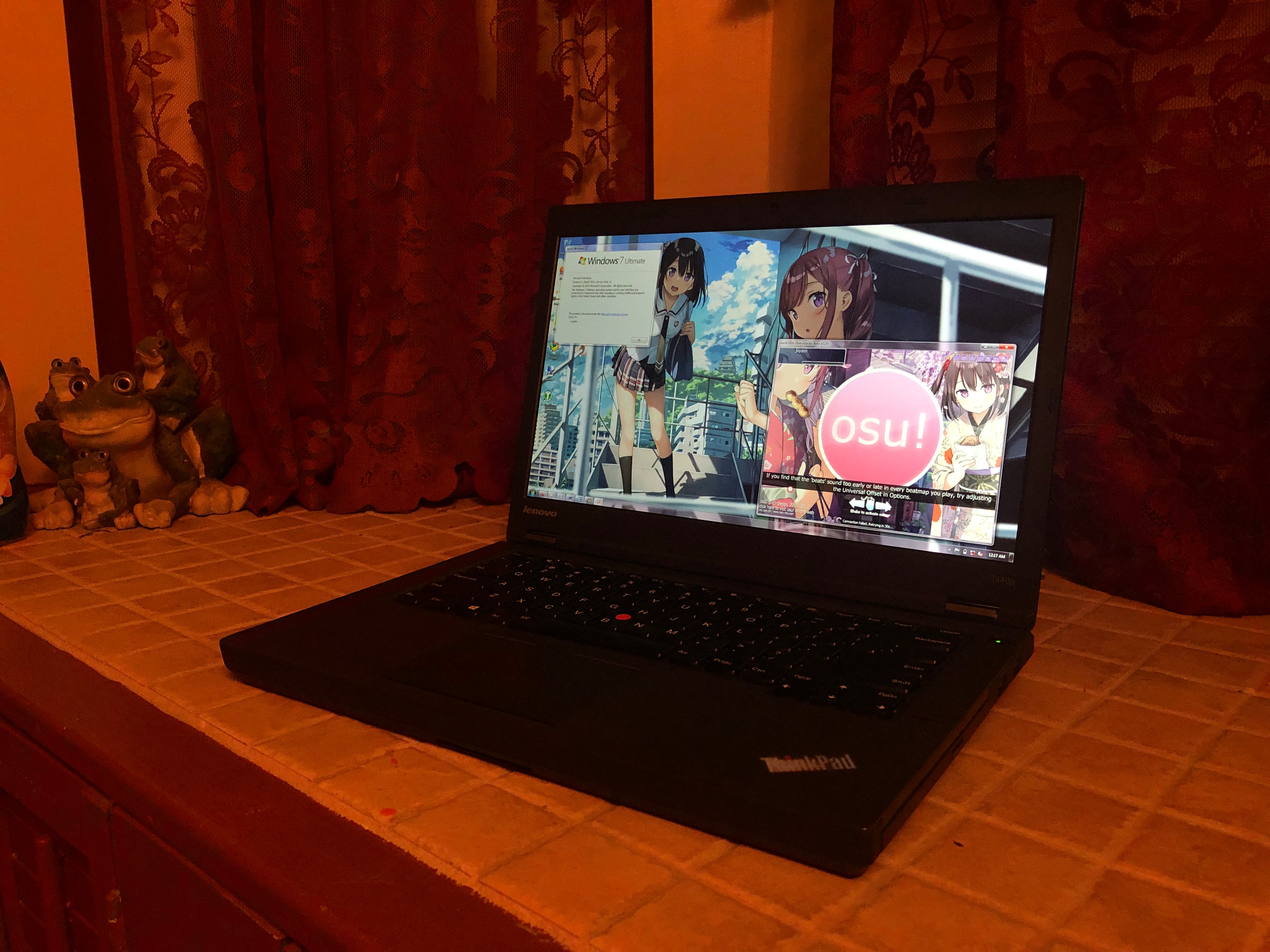
The screen is tinted green, so my iPhone 8's camera made this image very orange. I still love this setup.
Set this up about a year ago, when I was apparently obsessed with Kantoku's art. I still use it! I played Minecraft Alpha on this when I had COVID last month.
This unfortunately has no Wi-Fi chip in it, so nowadays (not in this old photo) I just use a USB Wi-Fi adapter. Otherwise, it runs pretty damn great! More than playable, especially on RetroGecko.. which, surprisingly, runs fine. Despite Windows 7 being dropped in .NET7+, it still works great with .NET 9. Haven't tested on .NET 10, though, but don't see any reason for it to break.
This computer has an unfathomable aura when sitting on a flat surface like this that I just can't get over.
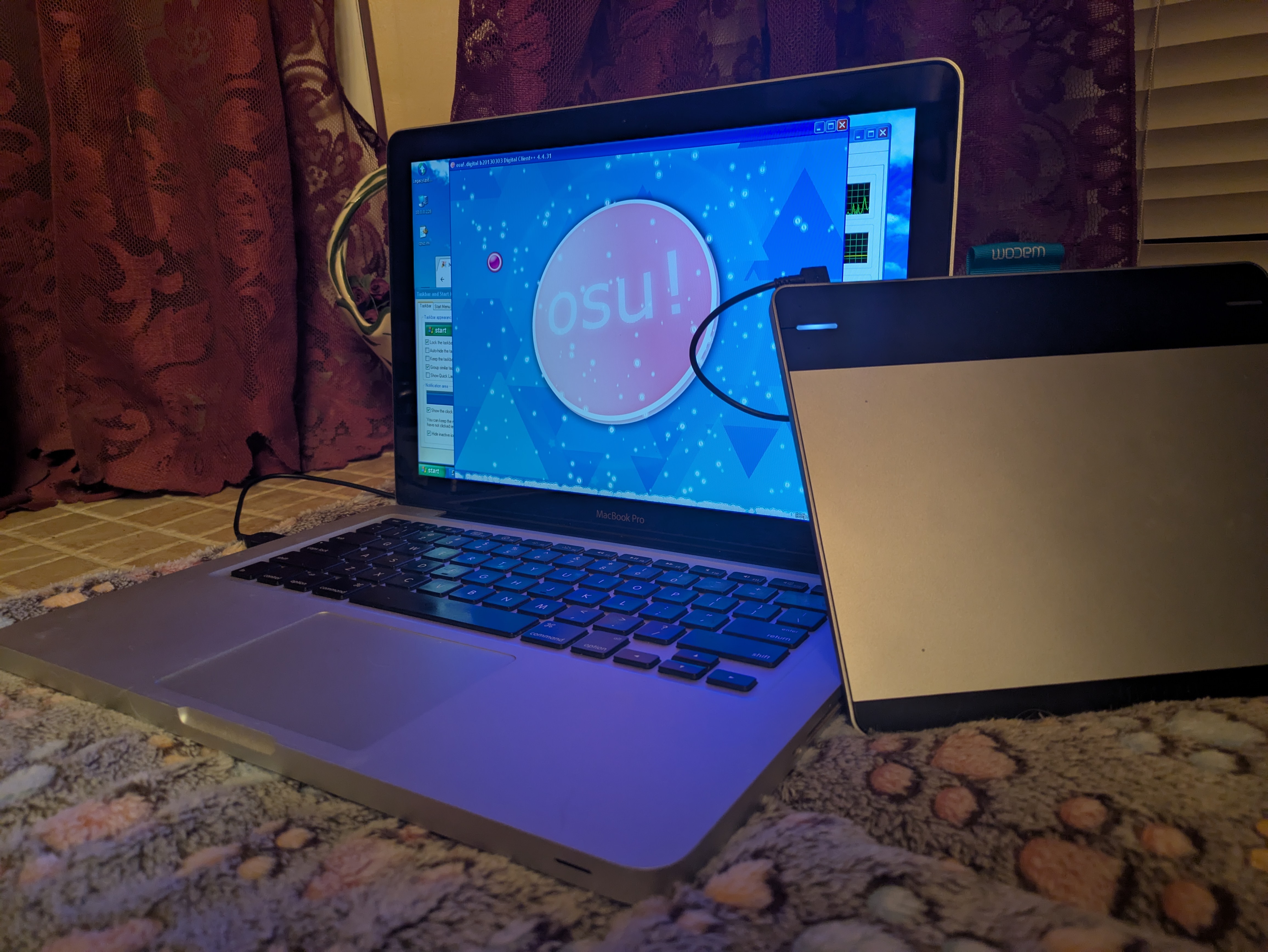
I set this up today! Though it took absolutely forever, with great effort mind you.
This thing was originally running Mac OS Lion. I wanted to dualboot and install over USB, but after much fighting with both, I ended up finding an old weird variant of an XP installation CD my dad lying had from old IT shenanigans. Still wouldn't let me dualboot since the disk was GPT, so I just decided to wipe Mac OS X.
From there, it was just a matter of installing Bootcamp drivers and osu!digitalclient, and sourcing some old Wacom drivers for my CTH-480. It runs fairly abysmally but it's good enough for some simple gameplay.
I'll start:
ThinkPad T440p (2013) running Windows 7
The screen is tinted green, so my iPhone 8's camera made this image very orange. I still love this setup.
Set this up about a year ago, when I was apparently obsessed with Kantoku's art. I still use it! I played Minecraft Alpha on this when I had COVID last month.
This unfortunately has no Wi-Fi chip in it, so nowadays (not in this old photo) I just use a USB Wi-Fi adapter. Otherwise, it runs pretty damn great! More than playable, especially on RetroGecko.. which, surprisingly, runs fine. Despite Windows 7 being dropped in .NET7+, it still works great with .NET 9. Haven't tested on .NET 10, though, but don't see any reason for it to break.
This computer has an unfathomable aura when sitting on a flat surface like this that I just can't get over.
MacBook Pro (2009) running Windows XP
I set this up today! Though it took absolutely forever, with great effort mind you.
This thing was originally running Mac OS Lion. I wanted to dualboot and install over USB, but after much fighting with both, I ended up finding an old weird variant of an XP installation CD my dad lying had from old IT shenanigans. Still wouldn't let me dualboot since the disk was GPT, so I just decided to wipe Mac OS X.
From there, it was just a matter of installing Bootcamp drivers and osu!digitalclient, and sourcing some old Wacom drivers for my CTH-480. It runs fairly abysmally but it's good enough for some simple gameplay.


