
Windows 9 wrote:
for the next update please add ur bar from lazer🙏
i mean, only texture, that will be enough, because you have no reason to overwrite input system

| 525 posts | Jump | 1 ... 31 32 33 34 35 |
|
Rhythm Incarnate
541 posts

|
Windows 9 wrote: for the next update please add ur bar from lazer🙏 i mean, only texture, that will be enough, because you have no reason to overwrite input system |
|
|
input fixed on NVIDIA gpu over here
it/its only
|
|
Whistle Blower
21 posts

|
When I switched to 5.3.17 version and set my usual settings, when I go far up, down, left or right my screen flickers for a bit. It does like that when turning on Raw Input.
I don't know how to fix it.
Last edited by Vladkrip
3 weeks ago, edited 2 times in total.
|
|
|
for now you have to set confine mouse input to either always or only on fullscreen.
|
|
Whistle Blower
21 posts
|
Avril wrote: for now you have to set confine mouse input to either always or only on fullscreen. This worked, thanks |
|
Rhythm Incarnate
541 posts
|
if you are using hdr mode in your system (if your monitor supports it), you may experience black screen flickering when you alt tab between game and other app. that is caused by display mode switch, because osu (both stable and digital++) doesn't support hdr (and there is no reason to support it). lazer is patched to support hdr mode so there is no problem with alt tabbing between lazer and any app. i suggest to patch the client to get rid of black screen flickering
and it affects both windowed and fullscreen mode |
|
Whistle Blower
21 posts

|
poop
guy who likes *** ***** **** **** **** **** **** **** digital client translator* fråljer client soon hopefully |
|
Cymbal Sounder
34 posts

|
[ Deleted ]
 |
|
Cymbal Sounder
34 posts
|
Digitalfear117 wrote: For anyone who downloaded the 32 bit update and it didn't work, I messed up and accidentally copy and pasted the 64 bit version into the 32 bit folder. This is the correct file: https://www.mediafire.com/file/n2b5ub9yyuq4x9d/b20130303+Digital+Client+++5.3.17+.NET+Framework+4.8+Patch.7z/file For anyone downloaded after this post you don't need to worry about this. found this lmao |
|
Tempo Trainee
5 posts
|
ok nice ily
 |
|
|
Hello gamers! It is time for another big Digital Client update!
Brand New DirectX 11 Renderer As far as I'm aware, no osu! client modder has every manually added a new renderer to the game, so this is uncharted terroritory! This renderer works on all .NET releases, and on both 32/64 bit! This renderer has been added as an alternative to OpenGL for setups with bad OpenGL support. On some hardware OpenGL performance isn't great, this could be due to hardware, drivers, or OS. 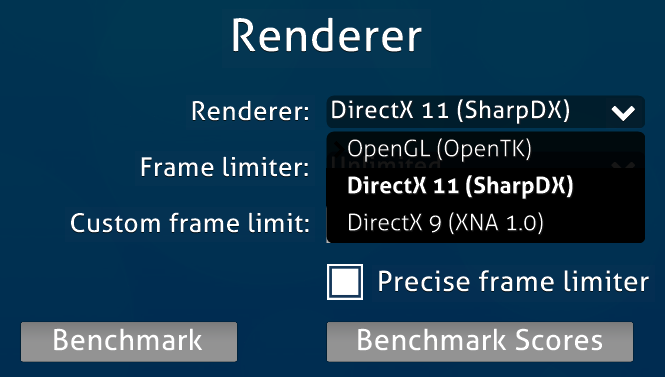 Tested on my laptop I saw a noticeable performance gain compared to OpenGL. My laptop has an AMD Ryzen AI 9 365 CPU, 880m iGPU, and 32GB of memory running Windows 11. Each renderer was tested on .NET 10, 32 bit debug.  DirectX 11 requires the following hardware or newer: AMD: Radeon HD 5800 series or newer (September 2009) NVIDIA: NVIDIA GTX 400 series or newer (March 2010) Intel: HD 4000 series (Ivy Bridge) or newer (May 2012) All Digital Client features are supported in the new DirectX 11 renderer, however you may encounter minor bugs since this is the first release with this renderer! Please report any bugs you find! Major ImGui Improvements ImGui has been a bit of a novelty in Digital Client since it launched over a year ago. In this update I overhauled the code to fix a lot of bugs it had.
ImGui forms are now enabled by default going forward. You can enable them by going to Settings > Theme > Global Theming > ImGui Forms. Massively Improved 2015 osu! Next Volume Adjuster (Stable) This was a bit of ambitious backport for myself back in 2025. Most of the code worked, but it had some noticeable differences compared to the one in Stable. I have made some major changes and fixed a lot of those bugs in this release! 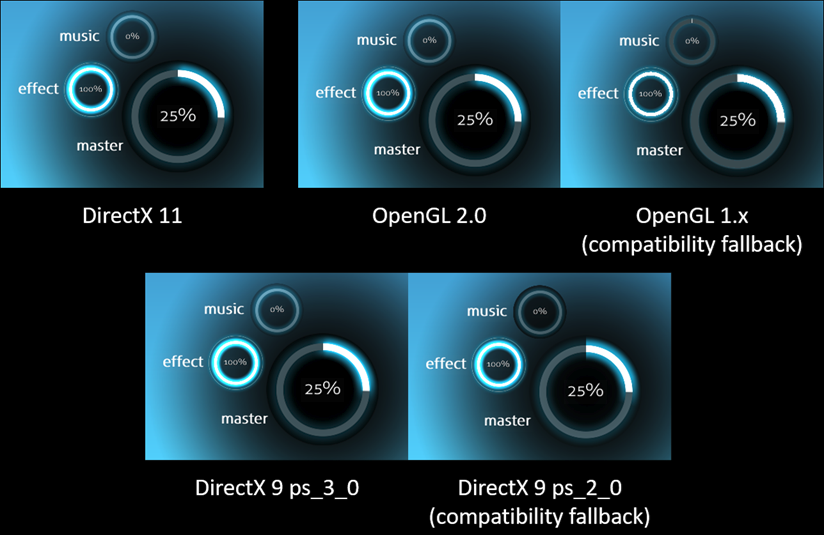 This is a pretty massive improvement compared to previous Digital Client versions. As an added bonus you can now also skin the colors of this volume adjuster wheel! You can customize these 3 assets of the Circular Progress Bar. Show below are the default values. VolumeRingForeground: 0,0 0 VolumeRingBackground: 54,72,78 VolumeRingGlow: 17,136,170 These custom colors were chosen by Nikku: 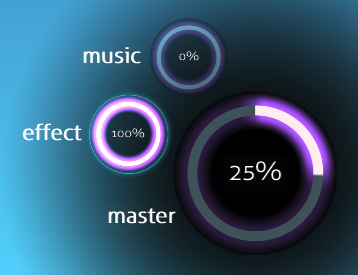 VolumeRingForeground: 240,215,218 VolumeRingBackground: 54,72,78 VolumeRingGlow: 167,78,255 Overhauled Hexis Main Menu Visualizer The original "Hexis Main Menu Visualizer" was not even really a visualizer, this new one is a lot closer, but not 1:1 or anything yet.  ————————————————————————————————————————— Editor Enhancements Quick Rotate Improvements When I first ported this from un!stable in the last release I used a different keybind for this feature, in this release it now has the same Control + Shift + Mouse Scroll Wheel command as in un!stable! Quick Rotate Editor Grid Brand new feature by me! Control + Shift + Alt + Mouse Scroll Wheel allows you to rotate the entire grid! You can still rotate the grid and control the other settings from View > Grid Line Settings as well. The snapping to grid has been greatly improved as well when it's rotated.  Port Editor Hitsound Addition Flash from un!stable This is enabled by default, and visually flashes the current hitsounds applied to an object while playing a map in the editor!  You can disable it by going to View > Flash Addition Hitsounds There is one more option you can enable with this feature, you can make the hitsound flashes "flashier", giving them an expand animation that makes it more obvious. This was how it was originally programmed for un!stable, but it later got changed to be more subtle. You can enable this flashier toggle in Settings > Theme > Editor > Flashier Addition Hitsounds.  I felt like it would be weird to have this toggle in the Editor next to the main option itself, but idk let me know if it should be added there too ig. Add Copy Hitobject .osu Format Keybind of Control + Alt + C by Khangaroo This was ported from un!stable by me. Holding Control + Alt + C on a hitboject will copy it's .osu format now! This is useful if you want to send someone an exact slider or object placement. Example: 151,203,339,6,0,B|208:171|256:200|256:200|301:171|359:202,2,220,2|2|2,0:0|0:0|0:0,0:0:0:0: Updated Storyboard Fixer Now it can fix remove and reformat hitsound storyboard tags! Update Lead In Time AiMod Warning The old text was stupid, and forced you to do the math yourself to find the correct ms.  Now it tells you what you need to set the lead in time to fix the warning. ————————————————————————————————————————— Smaller New Features Add Option to Group By Exact Name For grouping modes that used to group alphabetically, you can now have it group by exact names 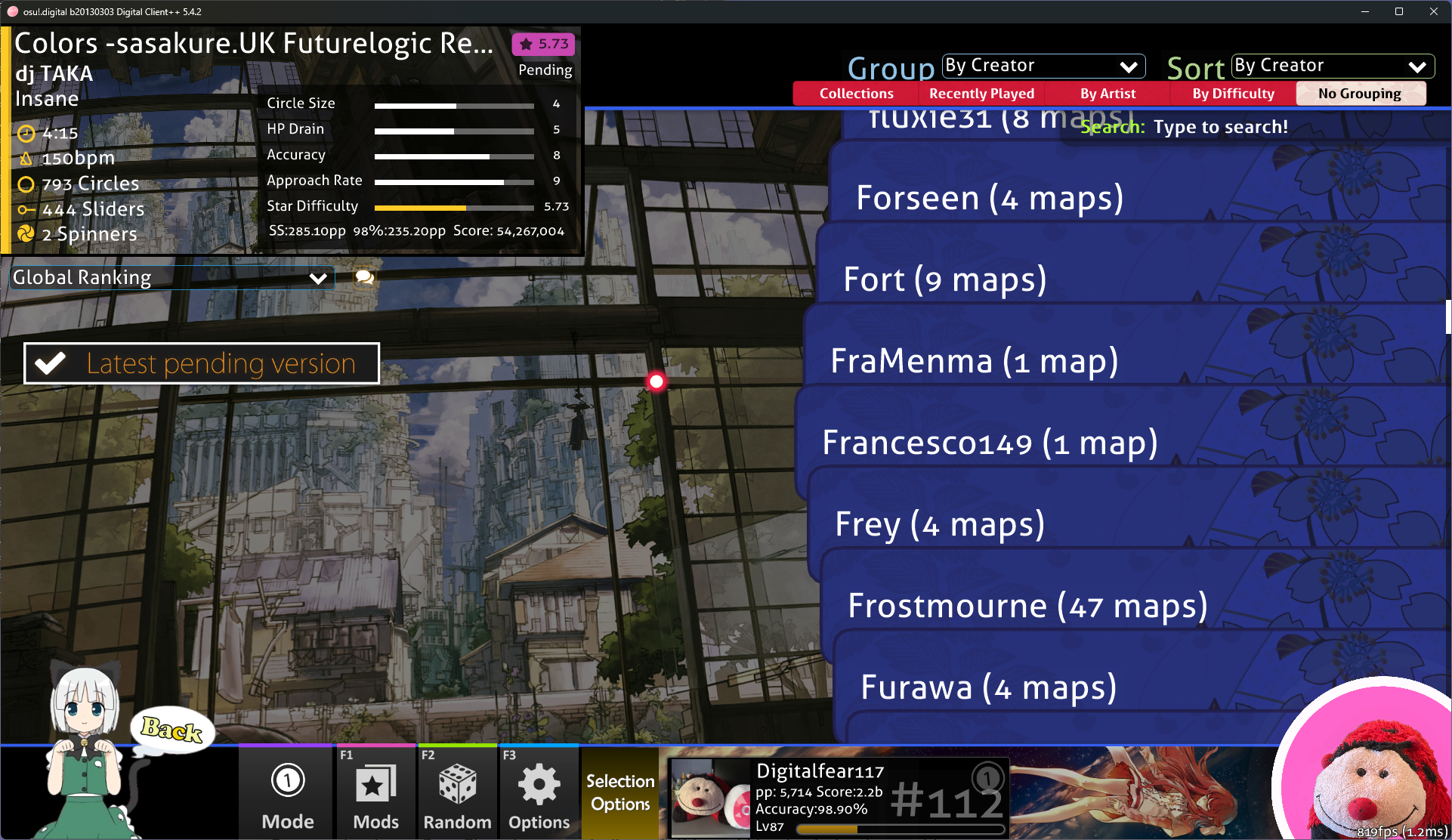 You can enable it in Settings > Theme > Group by exact name Re-Add Option to Group By Folder This was removed in 2014 with the song select revamp, but a user asked if this could be restored. This is a completely new implementation to match the song select revamp (codewise). 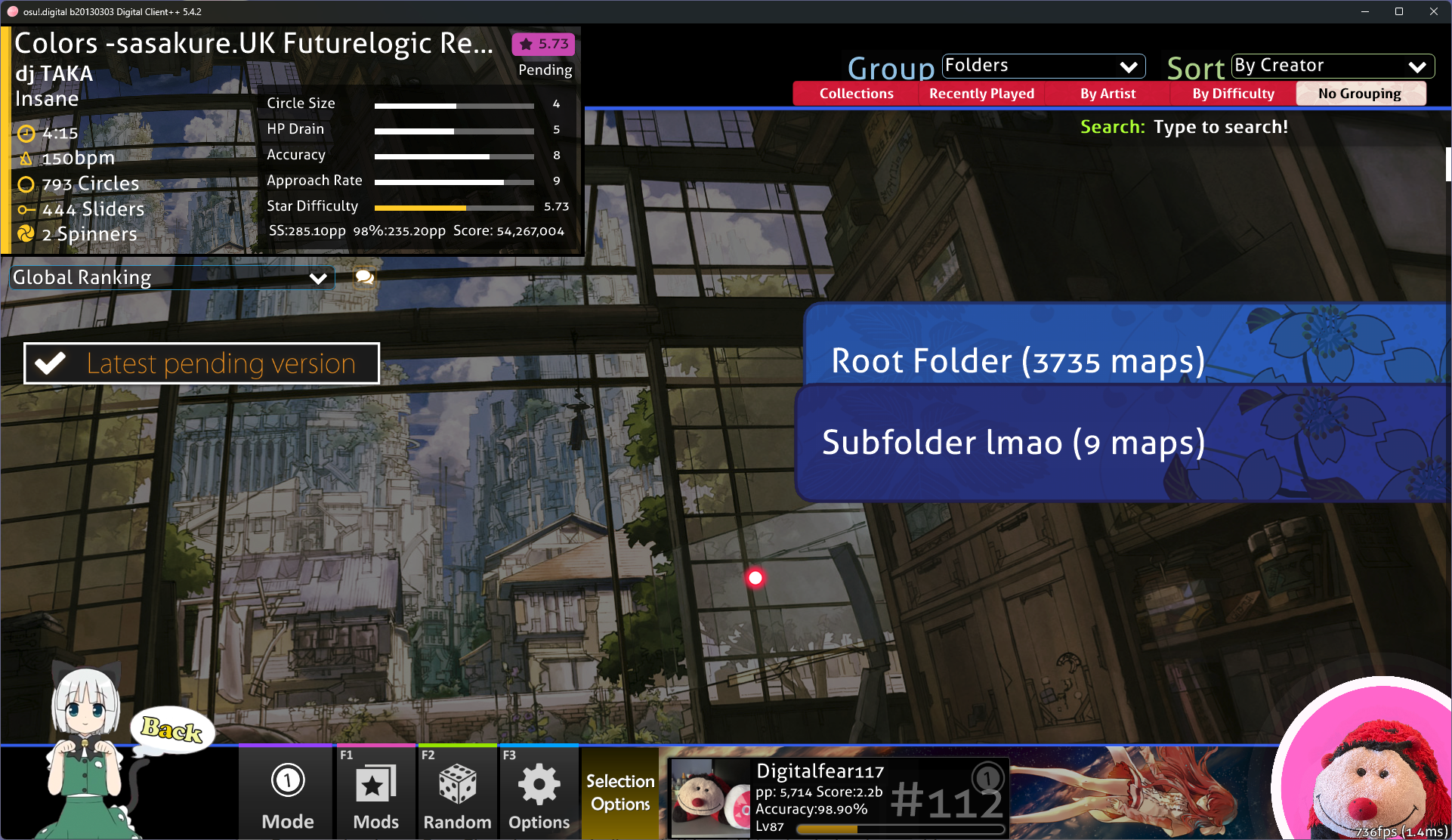 Use Modern Lobby Assets in Modern Skin Style Yep. 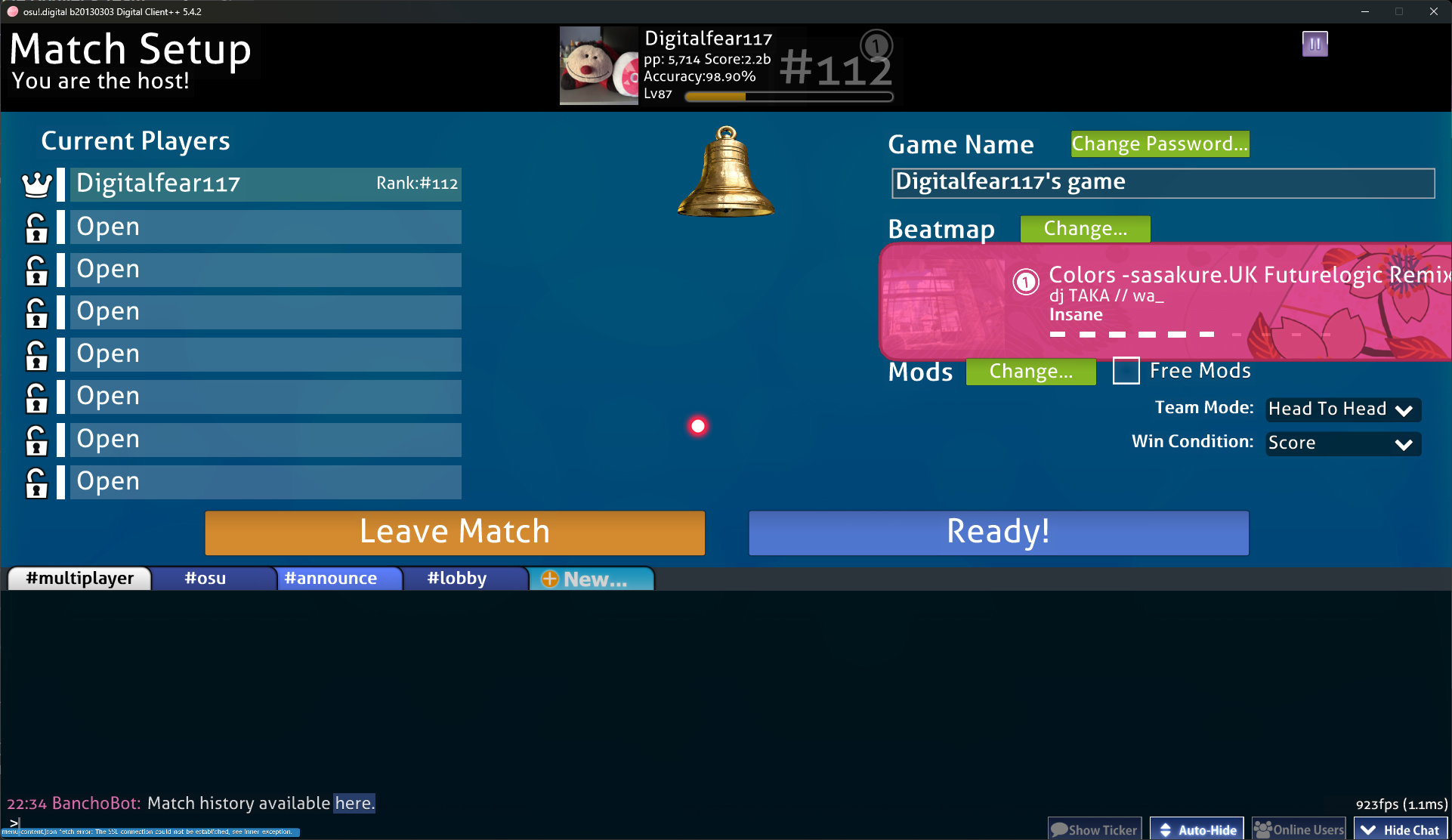 New Option to Disable Ringing of Bell Users can still ring your bell, you just won't be notified anymore. You can find this in Settings > Gameplay > GeckoNet > Disable bell Sample Colors for Triangle Visualisation From Cross Menu Bar Renderer Skin Colors When Enabled Now the triangles won't be blue if you change the color of the cross menu bar! Add Option to use the Old Hexis Visualizer You can find this in Settings > Main Menu > Hexis Visualizer Options > Old Menu Blocks. The memory leak with this feature was also fixed. Add New Option to Force Sequential Combo Colors (Enabled by Default) In Stable if you disable beatmap skins, it also disables beatmap "colorhax", which is a feature where mappers can set a custom order of beatmap combo colors. For example they could set the order in one section to be 1, 2, 4, 3, 1. This option will disable that feature when disabling beatmap skins as well. If this feature is disabled your skin combo colors will have their order affected by the maps "colorhax" like in previous Digital Client versions. New toki pona Localization Support Work on this language has started by SCAG! It's still very early progress, but we now can offer custom language support! If you are interested in translating Digital Client to another language, shoot me a DM! ————————————————————————————————————————— Bugfixes Lots and lots of bugfixes, as always in this client… Make Selected Mania Skin the First Choice for Loading Mania Keybinds I have no idea why mania skins store keybinds for mania… Dispose of the Beat Snap Divisor Slider Bar when Leaving the Editor This is a bug in the vanilla client, but you would never know since in that client slider bars don't have sound effects. Make OpenGL/DirectX 11 Confine Mouse Default Only When Fullscreen Hopefully less users will experience issues after this. Fix Image Asset Used by Quick Rotate Center The asset has a different name in Digital Client compared to un!stable Fix Windows XP and 2000 Being Unable to Connect to Bancho by Oreeeee It now uses unencrypted websocket since it's basically the only option we have. Fix Crashes When Quickly Changing Cursor Trail Length This was just badly coded on my end before, and could crash on DirectX 9 for this reason. Fix Memory Leak with Old Hexis Menu Blocks Visualizer No idea when this broke, but it's fixed now Don't Run AiModJumpDetector in Mania or Taiko Prevents a silly crash. Fix Selection Options Hover Area I tried to improve this in the last release, and I just made it worse. I stopped being stupid and did it correctly this time. Further Improve Loading of 2008, 2009, and oldsu! .osr Replays Files Importing these replays could cause your database to get corrupted in past client versions, I have finally found the reason why, and it's now fixed! By the way, if you have any oldsu! replay files for oldsu! 2008 or oldsu! 2009 let me know, I am looking for more oldsu! replay files! Fix AiModWindowImGui Not Refreshing On Re-Open This was annoying, and I finally fixed it. Use the Correct Slider Bar Texture on Modern Editor Themes I forgot to update this when I updated the slider bar class a few releases ago. Fix Hitting the Wrong Color Causing the Opposite Colors Note to Show in a Large Form in Taiko This code got updated in 2014 after the animation changes, but I never applied it. Fixed now at least. Fix First and Last Taiko Barlines Not Showing This is a vanilla bug that was fixed in 2014, and the fix has been backported to Digital Client now. Fix Switching Between Local and Global Ranking In the previous release it would get stuck on local when trying to switch to global. Fix Bindable Bools Not Saving Selected State On Exit I am slowly adding support for Bindables like in 2014 and later clients, but unlike in those clients I haven't converted all the old config manager flags to this style. I messed up the code that saves these flags in the options screen, which is why some newer settings have reset on client relaunch. This is fixed now. Add wmv3 Support to 64 Bit ffmpeg by Khangaroo This was missing up until now, and has been fixed! Fix Chat Engine Toggle of Buttons Fading Out too Slowly This broke when updating Sprite Manager transformations to match 2014 and newer clients. I backported the fade out code for these buttons from Stable and it works again! Don't Flash Loading Spinner When Entering Changelog Screen This was caused by reusing the loading spinner from beatmap import which always starts fully shown, so I just created a local one for this screen that doesn't do that. Fix Show Unranked Maps Selection Option Not Working on Re-entry of Song Selection Fixed now. No need to redownload if you are on 5.3.0 or later, it will auto update! 64 Bit (Recommended) 32 Bit
Last edited by Digitalfear117
4 days ago, edited 3 times in total.
|
|
Rhythm Incarnate
541 posts
|
i cant live without vulkan. please add it :trolley: (actually impossible feature, better to ignore it)
|
|
|
Windows 9 wrote: i cant live without vulkan. please add it :trolley: (actually impossible feature, better to ignore it) at that point you might as well download the dxvk binary files and just slap it in there |
|
Rhythm Rookie
1 posts

|
Quick question,
is it appropriate to livestream on twitch/public spaces with this client? Thanks. |
|
|
honne wrote: Quick question, is it appropriate to livestream on twitch/public spaces with this client? Thanks. should be fine |
| 525 posts | Jump | 1 ... 31 32 33 34 35 |
