Happy 117 day everyone! Today is another massive release for Digital Client! We are now at version 5.0.18!
 Digital Client 64 Bit is Now Real by Khangaroo!
Thanks to the incredible work of Khangaroo, we can now release Digital Client in 64 bit! In order to accomplish this two things needed to be done. FloatFixer from un!stable was ported to Digital Client, this means we won't have to worry about floating point differences between 32 and 64 bit .NET, and lastly, Khangaroo wrote us a stub dll for XNA. This means osu!'s original XNA DirectX9 Renderer can be preserved for 32 bit versions of the game.
Digital Client .NET 10 is Now Real by Oreeeee!Building off of the work by Khangaroo, Oreeeee was then able to get Digital Client compiling on .NET 10, meaning all the compiler optimizations from modern .NET can be enjoyed by Digital Client users!
Should I choose 64 bit or 32 bit?Almost all computers used today are 64 bit, 64 bit will have a slight edge over 32 bit in terms of performance. The only reason you may want to stick with the 32 bit version is if you do not have good performance with OpenGL. This is because the DirectX renderer is currently only available in 32 bit. I do want to say though, OpenGL performance has improved MASSIVELY in Digital Client over the past few releases, so I recommend starting with 64 bit! If you for some reason have issues with OpenGL, please report them, only then would I recommend the 32 bit version.
If you are trying to run Digital Client on an older PC (Windows 2000, XP, Vista. Possibly 7/8.1 depending on your computer skill level) you will probably want to run the 32 bit version.
Realtime pp Counter While Playing!You can now see how much pp your play is currently worth!

The location can be changed in Settings > Gameplay > Realtime pp options:

The "Below accuracy" option is special, that one actually puts it inside of the scoreboard!
 osu! Coins by Oreeeee and Digitalfear117!
You can now earn and spend osu! coins in Digital Client! Oreeeee did most of the heavy lifting on this backport, I just fixed a few minor UI issues and input handling on it! Matches the March 2015 April Fools version!
 Song Selection Style!
You can now change the Song Selection style interdependently of Skin Style! The rosuka Style uses the custom assets from the rosuka style!

Honestly the rouska assets clash with osu!'s look
 Delete All Visible from Stable!
I had to do this completely manually, Stable's code was not compatible with Digital Client for this lol
 Main Menu Tips Styles!
Pick and choose between what kinds of Main Menu Tips you want to see in the client!
 Standard pp Calculator is Here, All Modes Have Been Improved!
Finally the Standard pp Calculator is here, and now all modes utilize rosu-pp!
 Startup Song Options
You can now choose different osu! startup songs! Choose from any one in osu!'s history!
 Loved and Qualified Status Notifications by Noemi!
 Update Multiplayer Beatmap Card Tooltip!
Now it shows way more relevant data, just like in Song Select!
 Customizable User Card Backgrounds!
You can choose between 2008, 2013, 2015, or rosuka assets / animations! This was suggested by a user as they wanted to recreate the old osu! f9 screen from before 2013.

 More osu! Cookies! by Noemi and Digitalfear117!
Where does Noemi find some of these clients???
 ano;fx Main Menu Interface Style by Nikku!
2014 design but with blacked out buttons.
 New Copyright Styles!
Yes.


 Hold the Background Image in Song Select to Hide the Interface!
Backport of the lazer feature, allows you to quickly see the whole background!
New Tag Coop Colors! Gex Direct Button!
Normally this says osu!direct, the one from Gex says Beatmaps.
 osu! Cookie and Mod Icons Can Now Be Animated by Avril!
You can now use multiple frames, so you can do menu-osu-0, menu-osu-1, and so on. Same for the mod icons.

Example of an animated osu! cookie
Updated Localizations!I once again want to shout out our amazing contributors for Digital Client localizations! Every language has made at least some progress! You can now see the current progress by hovering the star. We are still looking for contributors! If you are fluent in English and another language it would be amazing if you could help translate!
 Ports from Other Modded Clients:GeckoNet V3 Support by jvyden and Digitalfear117!
GeckoNet was written by jvyden, and I adapted the client side code to work on .NET Framework 2.0!
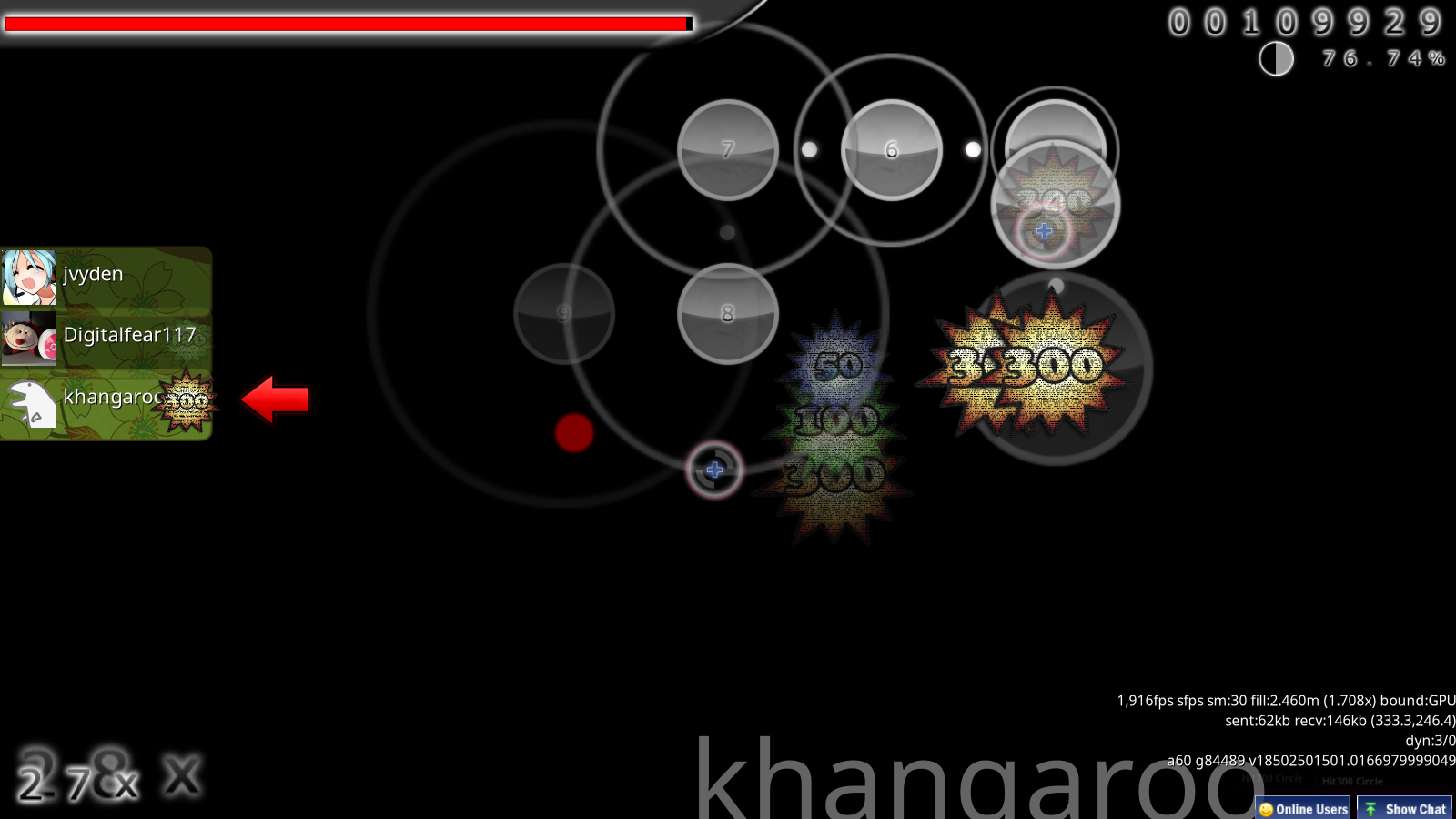
GeckoNet V3 allows you to see other peoples cursors while you are playing in multiplayer. This works for any in the room on a GeckoNet compatible client! This includes RetroGecko and Digital Client now!
And the secret private un!stable release khang is hiding from usDigital Client can't send misses to the server yet, you will see when people miss on RetroGecko, but no one can see if you miss on Digital Client yet… hopefully in the next release.
 Login Screen from RetroGecko by jvyden and Digitalfear117
Much better than having to use a pForm to log in! jvyden created the screen for RetroGecko, and I updated the screen and then ported it to Digital Client! I can finally use the password text box I created over a year ago for something useful lol.
 Change Song Folder, Skin Folder, and Collection DB File While the Game is Running!
You can change this in Settings > Maintenance.
 Per Mode Skins by Khangaroo and Digitalfear117!
Code was adapted from un!stable by me for Digital Client. You can now choose to have different skins for different parts of the client!
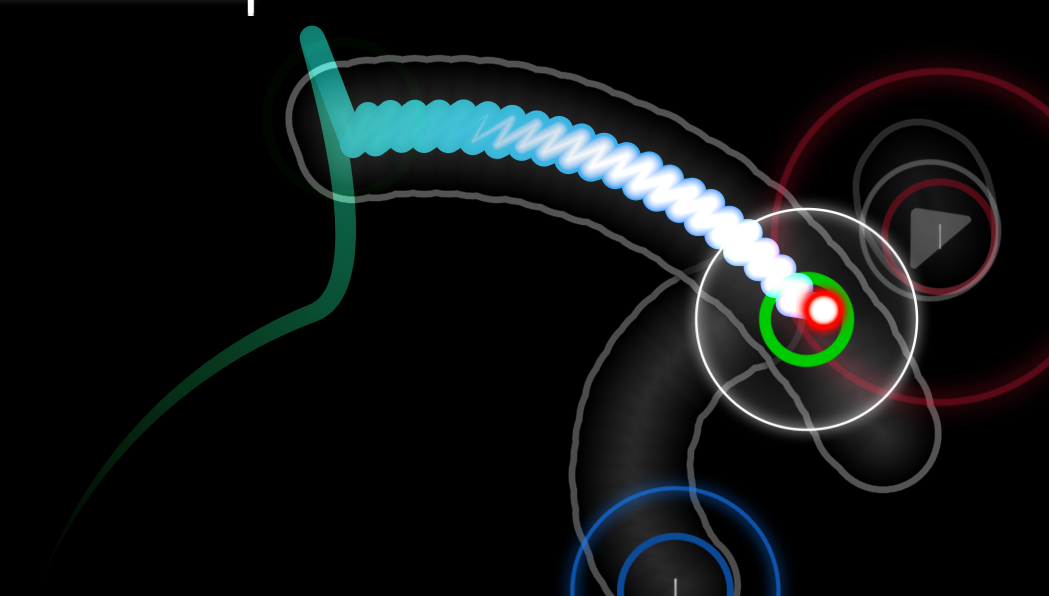
 SDF Cursor Trail Renderer by Khangaroo and Digitalfear117!
Khangaroo worked extremely hard to add his SDF Cursor Trail Renderer from un!stable into Digital Client. This required updating quite a bit of the existing OpenGL code to get it working! I was able to make a DirectX equivalent as well! Just because OpenGL is the main renderer now does not mean DirectX users won't get new features still!
 Snaking Out Sliders from Atrias!
Sliders bodies will now shrink as the sliderball goes along the slider track just like in Lazer! This is enabled by default, but it's a little buggy with Classic Skin Style so maybe disable it if you use Classic Skin Style. You can disable it in Settings > Graphics > Detail Settings > Snaking out sliders
 Auto Skip Intro from Atrias!
Enabling this option will always skip the intro of songs. You can enable this in Settings > Gameplay > General Gameplay >Auto skip intro
Auto Retry Sudden Death from Atrias!Enabling this cause the game to instantly retry if you miss with Sudden Death enabled. You can enable this in Settings > Gameplay > Sudden Death Modifiers >Auto retry Sudden Death
Disable Easy Mod Respawn Pause!Removes the pause if you lose a life with Easy mod enabled. You can enable this in Settings > Gameplay > Easy Modifiers >Disable easy mod respawn pause
Bugfixes:Titanic API Fixes by Levi!Issues with submitting Benchmark scores, or updating statuses with the Ranking Panel should be resolved now, thanks Levi!
Major Classic Skin Style Particle Animation FixThere has been an issue where hit particles were delayed in Classic Skin Style, I had created ways to circumvent it in most places, but I finally found the underlying issue! Thanks to February 18th for reporting and forcing me to look back into this code!
EZ and Mania Key Mods Now Show Star Rating ChangesWe accidentally forgot to add EZ mod, and 4k/5k/6k/7k/8k mods to the list of saved star ratings! Before if you enabled EZ it would still show the same star rating as no mod D:
Fix Cursor Size with Default Cursor Trail Renderer by KhangarooKhangaroo was able to figure out why the 2015 Cursor Trail Renderer was scaling incorrectly in Digital Client and was able to fix it!
Fix Mania Hit Error Graph not Drawing in ManiaThis took me literally a year to figure out what was wrong, at least it's finally fixed!
 Fix Background Underlays
No more empty spritemanager bug on weirdly sized background images!
Fix Direct Download Complete Text Being Scaled IncorrectlyThis was actually a peppy bug, fixed! This one also took me a year to find and fix…
 Fix Brazilian Portuguese Localization File Lookup
The filename Digital Client was looking for was incorrect before, whoops!
Download LinksFor this release you must redownload the full client, there are too many file changes (especially for 64 bit) to do a patch release!
64 Bit Download (Recommended)
32 Bit Download (Fallback)